跳转至

GitHub 徽章

前言§

技术栈徽§

  1. ![Docker](https://img.shields.io/badge/Docker-Ready-blue)
    
    ![Nginx](https://img.shields.io/badge/Nginx-ReverseProxy-green)
    
    ![Linux](https://img.shields.io/badge/Linux-Ubuntu-orange)
    
    ![OpenWrt](https://img.shields.io/badge/OpenWrt-Supported-green)
    

    Docker Nginx Linux OpenWrt

  2. ![Skills](https://skillicons.dev/icons?i=linux,apple,windows,markdown,docker,nginx,git,python,cloudflare)
    

    Skills

实用组§

  1. ![Stars](https://img.shields.io/github/stars/用户名/仓库名)
    ![Forks](https://img.shields.io/github/forks/用户名/仓库名)
    ![Release](https://img.shields.io/github/v/release/用户名/仓库名)
    ![License](https://img.shields.io/github/license/用户名/仓库名)
    
    ![File Count](https://img.shields.io/github/directory-file-count/用户名/仓库名)
    ![Repo Size](https://img.shields.io/github/repo-size/用户名/仓库名)
    ![Last Commit](https://img.shields.io/github/last-commit/用户名/仓库名)
    ![Downloads](https://img.shields.io/github/downloads/用户名/仓库名/total)
    ![Commit Activity](https://img.shields.io/github/commit-activity/m/用户名/仓库名)
    
    ![Created](https://img.shields.io/github/created-at/用户名/仓库名)
    ![Release](https://img.shields.io/github/v/release/用户名/仓库名)
    ![Tags](https://img.shields.io/github/v/tag/用户名/仓库名)
    ![Contributors](https://img.shields.io/github/contributors/用户名/仓库名)
    

    Stars Forks Followers

    Release License Last Commit

    File Count Repo Size Downloads Commit Activity

    Created Tags Contributors

  2. 代码行数,会显示:commits / repos / stars / PR。GitHub 仓库地址

    name: Generate stats card
    
    on:
    schedule:
      - cron: "55 15 * * *"   # 每天运行一次(UTC+8 23:55点)
    workflow_dispatch:      # 允许手动运行
    
    jobs:
    generate:
      runs-on: ubuntu-latest
    
      steps:
        - name: Checkout repo
          uses: actions/checkout@v4
    
        - name: Create dist folder
          run: mkdir -p dist
    
        - name: Generate stats card
          uses: readme-tools/github-readme-stats-action@v1
          with:
            card: stats
            options: username=用户名&show_icons=true
            path: dist/stats.svg
            token: ${{ secrets.GITHUB_TOKEN }}
    
        # 输出到仓库
        - name: Push to output branch
          uses: crazy-max/ghaction-github-pages@v3
          with:
            target_branch: output
            build_dir: dist
          env:
            GITHUB_TOKEN: ${{ secrets.GITHUB_TOKEN }}
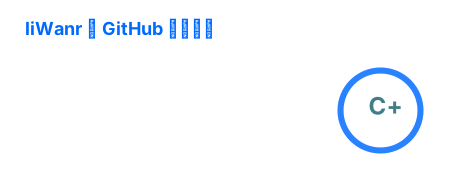
    

    Stats

  3. 最常用语言,会生成语言统计图。

    # ...
    
      steps:
        - name: Generate languages card
          uses: readme-tools/github-readme-stats-action@v1
          with:
            card: top-langs
            github_user_name: username=用户名&layout=compact
            path: dist/top-langs.svg
            token: ${{ secrets.GITHUB_TOKEN }}
    
        # 输出到仓库... 
    

    Top Langs

  4. 连续提交统计,显示连续提交天数。 GitHub 仓库地址

    ![Streak](https://streak-stats.demolab.com/?user=用户名)
    

    GitHub Streak

  5. 贪吃蛇吃贡献图, 这个需要在 用户名仓库/.github/workflows/snake.yml 中使用 Action 生成

    # ...
    
      steps:
        - name: Generate snake
          uses: Platane/snk@v3
          with:
            github_user_name: 用户名
            outputs: |
              dist/snake.svg
              dist/snake-dark.svg?palette=github-dark
    
        # 输出到仓库... 


    

    snake snake

好玩组§

  1. ![views](https://views.whatilearened.today/views/github/用户名/仓库名.svg)
    ![Coffee](https://img.shields.io/badge/Buy%20Me%20a-Coffee-yellow)
    ![Website](https://img.shields.io/badge/Website-Online-brightgreen)
    

    views Coffee Website

  2. 打字动画

    ![Typing SVG](https://readme-typing-svg.demolab.com/?lines=Heelo,+I'm+liWanr!;Welcome+to+my+Website.;Every+nobody+is+somebody.)
    

    Typing SVG

  3. 活动图

    ![Activity Graph](https://github-readme-activity-graph.vercel.app/graph?username=用户名)
    

    Activity Graph

评论